
Create an on-demand backup before updating WordPress, changing plugins or themes, or making other significant website changes. It gives you a recent restore point to return to if something goes wrong.
Wait for the backup to finish before making your changes. Clicking the button submits a request; it does not mean the backup is already ready to restore.
1. Open JetBackup
Log in to your Dynamic Servers cPanel account. In the Files section, click JetBackup 5. You can also find it using cPanel’s search box.
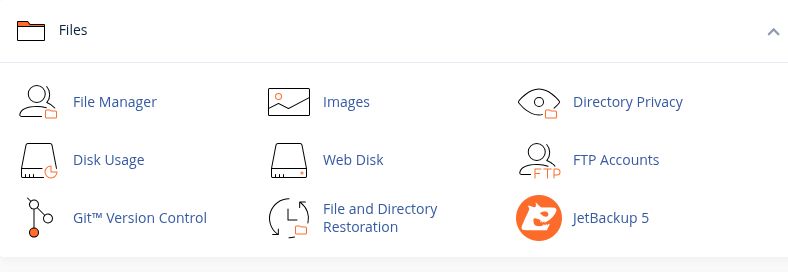 Open JetBackup 5 from the Files section in cPanel.
2. Choose Create Backup On Demand
On the JetBackup dashboard, look under View & Manage and click Create Backup On Demand.
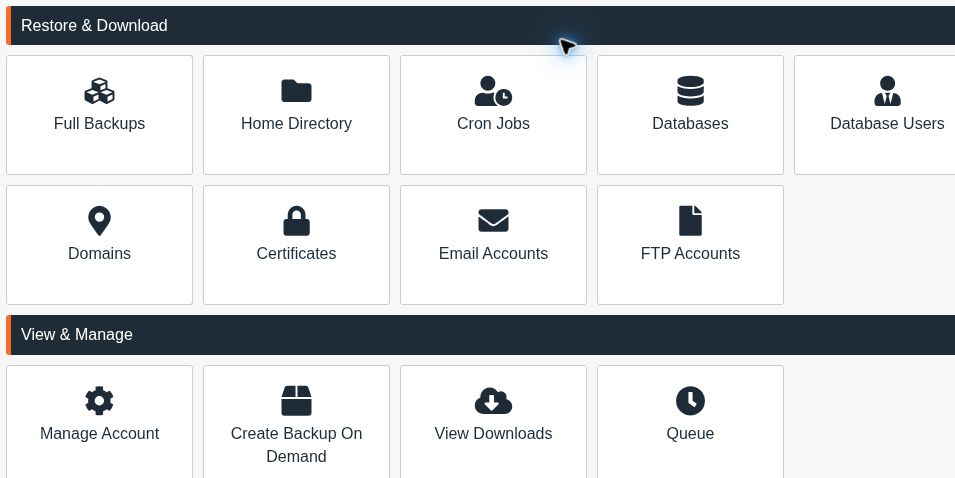 Create Backup On Demand is in the View & Manage section.
3. Confirm the request
JetBackup asks whether you want to create a backup on demand. Click OK to submit the request, or Cancel to return without requesting a backup.
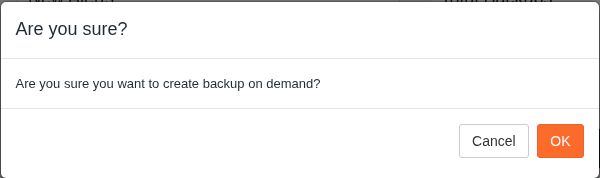 Click OK when you are ready to request the backup.
On-demand backups are subject to the account’s permissions and server limits. If the button is missing, disabled or a limit message appears, follow the message or contact support. Do not assume that an unsuccessful request created a new restore point.
4. Wait for completion
Open Queue in JetBackup and check the backup task. Pending means it is waiting; Processing means it is running. Wait for Completed and check any task details or warnings.
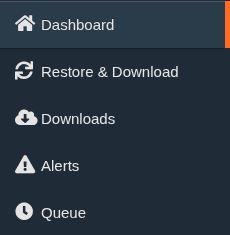 Queue shows progress; Downloads contains archives that are ready to save.
Large accounts can take longer. Avoid submitting the same request repeatedly while a backup is waiting or processing. If the task fails, resolve the error or contact support before proceeding with the website changes.
5. Check that the new restore point is available
Open Restore & Download and refresh the backup list if necessary. Confirm that the new backup appears with the expected date and time and contains the items you need. Keep a note of that restore point before starting your update.
When you later need to recover something, select that restore point under Home Directory for files or Databases for a database. A whole-site recovery may need both.
Does this download a copy to my computer?
No. An on-demand backup creates a server-side restore point. To keep a local copy, select the completed backup, choose Download, review the summary and click Download Selected Items. Wait for preparation to finish, then save the archive from Downloads.
How long is an on-demand backup kept?
On-demand retention and request limits are controlled by the server’s configuration and may differ from scheduled backups. Do not treat an on-demand restore point as a permanent archive. Download a copy if you need to keep it independently.
Related guides
Need help?
If the backup you need is missing, or a task fails, open a support ticket. Include the website concerned, the backup date and time, what you need to recover, and any error message. Never send passwords or a full backup archive in a ticket.
Screenshots show JetBackup 5.4 in cPanel. Account details and file lists are excluded for privacy. Available dates and options can vary between accounts.