
Reporting an unwanted message helps us investigate filtering. The reporting route depends on your server: Gravity uses our bespoke filtering system, while Uranium uses SpamExperts.
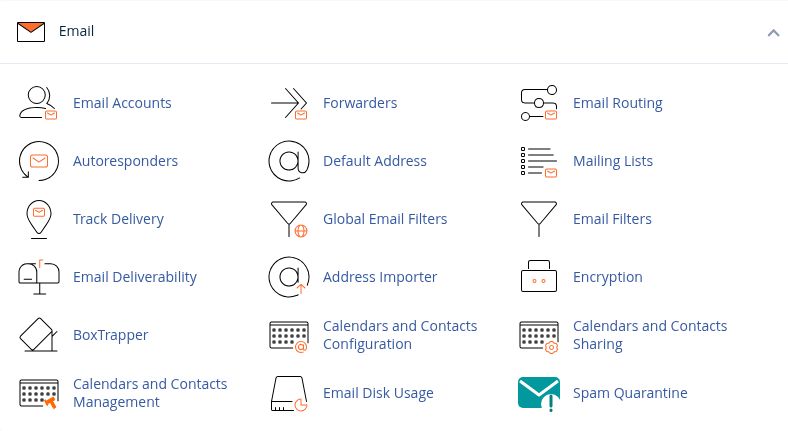 Email tools. Account details are excluded from this view.
Steps
- Do not reply, open attachments or follow links in a suspicious message. For an unexpected payment request, verify it through a contact method you already trust.
- Keep the original message. Save it as an .eml file or use your mail app’s Forward as attachment option so the original headers remain available. A screenshot or ordinary forwarded copy often omits evidence needed to trace delivery.
- Gravity: open a support ticket and state that the mailbox is on Gravity. Include the recipient address, approximate received time and an original-message sample using the secure attachment method support provides.
- Uranium: in SpamExperts, use the available message-training or Train as spam action for the matching message, where your access permits it. If you cannot find the action or message, send the original sample to support for investigation.
- Move the unwanted message to Junk in your mail app. This can help that app’s own filtering, but does not necessarily submit it to the server’s filtering system.
- If the problem repeats, provide a few recent examples and explain whether the sender, subject or delivery pattern is the same.
Keep enough detail to trace it
Include the full recipient, sender and date, rather than only the display name. Support can explain how to retrieve the full headers if needed. Never publish message contents, passwords or private headers in a public comment.
A request to allow a legitimate sender is different from a spam report. Broadly allowing a domain can let impersonation through, so let us review repeated false positives.
Related help
- Gravity: How to Check Spam Quarantine and Recover a Legitimate Email
- Uranium: How to Check SpamExperts and Release a Legitimate Email
- Understanding Bounced Emails and Delivery Errors
Further information: Official documentation.
Need help? open a support ticket. Include the affected domain and exact error, but never your password.