
A form’s success message can mean the submission was accepted by WordPress, rather than delivered to the recipient. Check submission storage and email delivery separately.
 Track delivery search. Account details are excluded from this view.
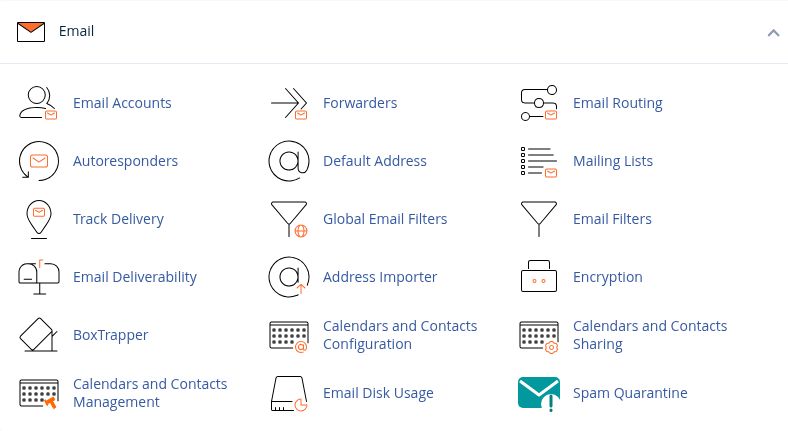 Email tools. Account details are excluded from this view.
Steps
- Submit a test with a unique subject and record the time. Check whether the form plugin saved the entry in WordPress, if it supports entry storage.
- Check the configured recipient for typing mistakes and review conditional notification rules. Look in the mailbox’s Junk folder and the correct server’s quarantine: bespoke Spam Quarantine on Gravity or SpamExperts on Uranium.
- Set the form’s From address to an address authorised for your own domain. Put the visitor’s address in Reply-To rather than pretending to send from the visitor’s domain.
- If using an SMTP or email-service plugin, run its connection test. Verify the server, encryption, authentication and sender permissions for that provider. For a cPanel mailbox, use its own Connect Devices settings.
- Check the sending result in the SMTP plugin and, where applicable, cPanel Track Delivery. If mail goes through Microsoft 365, Google Workspace or another service, use that provider’s logs too.
- If the form fails before saving a submission, check validation, CAPTCHA, plugin errors and cache exclusions with your developer. Test both desktop and mobile.
What to send support
Provide the page URL, form plugin name, test time, sender and recipient addresses, and any SMTP or delivery error. Do not send SMTP passwords or private form-submission contents in a normal message.
Changing MX records only changes incoming routing. It does not automatically authorise the website to send mail. Your developer may need to configure a supported authenticated sending service and the corresponding SPF/DKIM records.
Related help
- My Emails Are Not Arriving or Sending: What to Check
- Gravity: How to Check Spam Quarantine and Recover a Legitimate Email
- Uranium: How to Check SpamExperts and Release a Legitimate Email
Need help? open a support ticket. Include the affected domain and exact error, but never your password.