
A browser warning can mean an expired or mismatched certificate, a DNS problem, an incorrect redirect or mixed content. Record the exact warning and URL before changing settings.
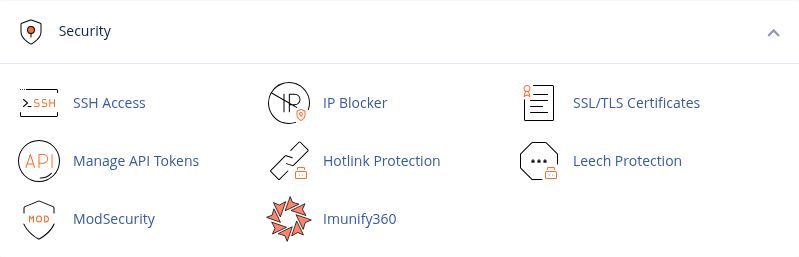 Security tools. Account details are excluded from this view.
 Ssl navigation. Account details are excluded from this view.
Steps
- Check the address and your device’s date and time. Test both the main domain and its www version using HTTPS. Do not enter passwords or payment details while a certificate warning remains unresolved.
- In cPanel, open SSL/TLS Certificates → Status. Older interfaces may call this SSL/TLS Status. Check whether the exact hostname is covered and whether the certificate is valid.
- Confirm the website’s A and AAAA records point to the intended hosting service. A recent move, stale IPv6 record or incorrect CDN origin can send visitors to a server with the wrong certificate.
- If an automated certificate check fails, review its validation error. Domain validation may be blocked by DNS, HTTP access, redirects or a restrictive CAA record. Ask support to help resolve the specific failure.
- If HTTPS loads but the browser reports insecure content, review images, scripts and other resources still requested over HTTP. Update their URLs in the application and clear the relevant caches.
- After the certificate and content are correct, test redirects to HTTPS, forms and login pages. Check another device to confirm the result.
Contact support with the exact warning
Include the affected URL, warning text, when it began and whether DNS or hosting recently changed. If using a CDN, mention it because the CDN and origin can have separate certificates.
Do not install a self-signed certificate, disable certificate validation or bypass the warning as a fix. An HTTPS redirect alone cannot repair an invalid certificate, because the secure connection must be established first.
Related help
- How to Point Your Domain to Your Hosting
- How to Add or Edit DNS Records in cPanel
- My Website Is Down: What to Check First
Further information: Official documentation.
Need help? open a support ticket. Include the affected domain and exact error, but never your password.